Wondering how to wear earbuds the right way? You’re not alone.
While earbuds have become a go-to accessory for music, calls, and even workouts, many users still face issues like discomfort, poor sound quality, or earbuds constantly falling out. These problems often come down to one simple thing: not wearing them properly.
In 2025, earbud technology has advanced with features like AI-powered controls and noise-canceling options, but knowing how to wear wireless earbuds correctly remains key to unlocking their full potential.
This guide will walk you through how to wear earbuds properly for all-day comfort, better sound, and a secure fit—no matter your ear shape or device. We’ll also cover what earbuds are used for, and address common concerns like are earbuds safe for daily use.
Quick Navigation & Previews
Step-by-Step: How to Wear Earbuds the Right Way
Wearing earbuds might seem simple, but doing it the wrong way can lead to discomfort, poor audio quality, or even long-term ear issues. Whether you’re using wired or wireless earbuds, follow these essential steps to ensure a secure and comfortable fit while protecting your ears.
1. Start with Clean Ears and Earbuds
Before inserting anything into your ears, hygiene is key.
- Why it matters: Dirty earbuds can cause ear infections, irritation, and sound blockage.
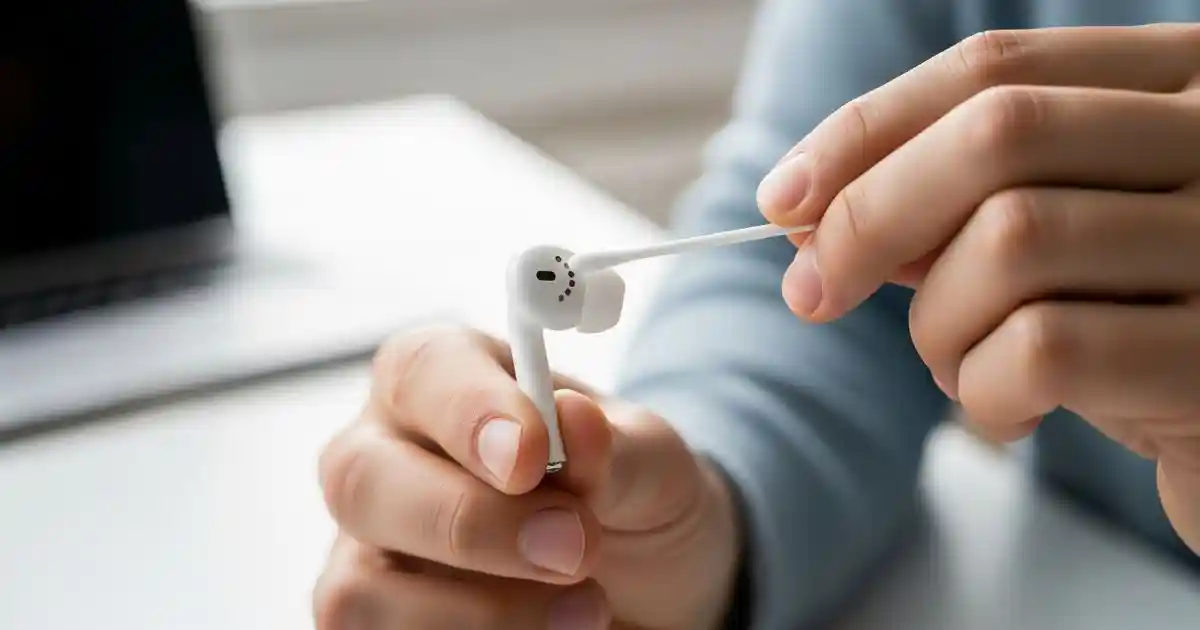
- What to do: Wipe your earbuds with a clean, dry cloth or use alcohol wipes designed for electronics. Make sure your ears are clean and free of wax buildup.
Clean earbuds = better sound + better health
2. Identify Right (R) and Left (L) Earbuds
Most earbuds are shaped to fit a specific ear.
- Look for markings: The letters “L” and “R” are usually printed near the base.
- Why it’s important: Wearing the wrong side affects how sound is directed into your ears, especially with stereo sound, spatial audio, or noise-canceling earbuds.
Proper positioning = better clarity + balanced sound
3. Insert Earbuds Gently and Adjust the Angle
How you insert your earbuds affects both comfort and audio performance.
- Gently insert the earbud into your ear canal. Tilt it slightly forward or backward to find the most secure angle.
- You should feel a snug fit, but never force them in.
Avoid pushing too deep this can damage your ear canal or eardrum.
4. Choose the Right Ear Tips for Your Ear Size
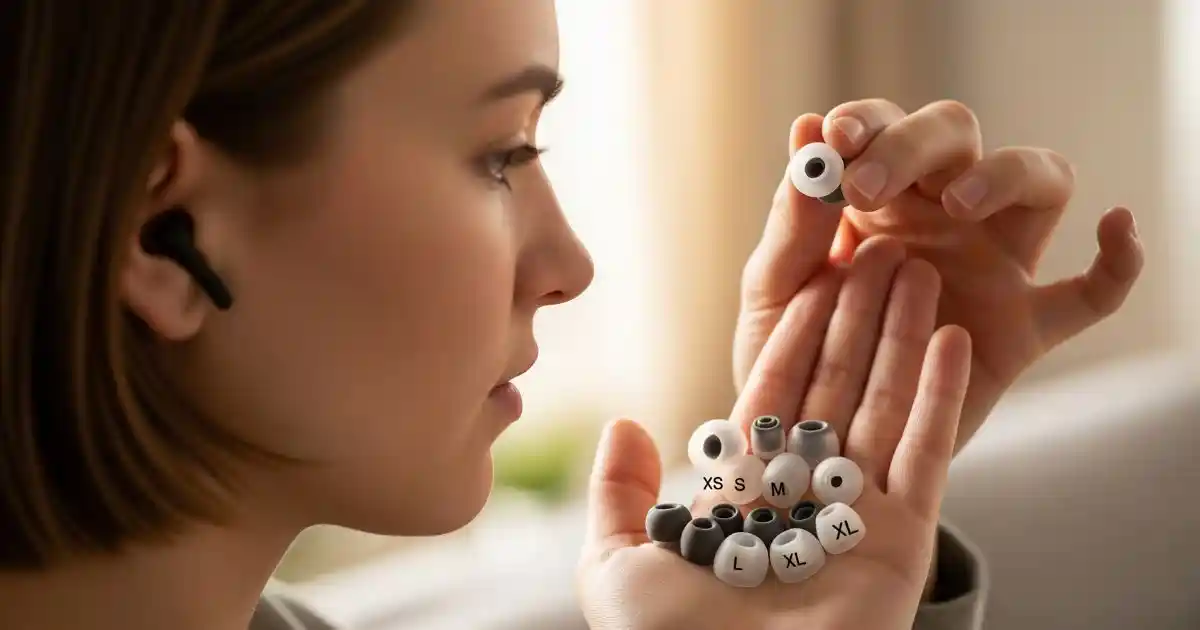
Earbuds often come with different-sized ear tips—small, medium, or large, usually made of silicone or memory foam.
- Try different sizes to find one that forms a seal in your ear without discomfort.
- A proper seal not only keeps the earbuds in place but also improves bass and noise isolation.
5. Avoid Forcing Earbuds Deep Into Your Ear
One of the most common mistakes people make is inserting earbuds too deep.
- This doesn’t improve sound, it can cause pressure, pain, and potential hearing problems.
- Instead, let the tips sit naturally in the outer canal and adjust for comfort.
Types of Earbuds and How to Wear Each One Correctly
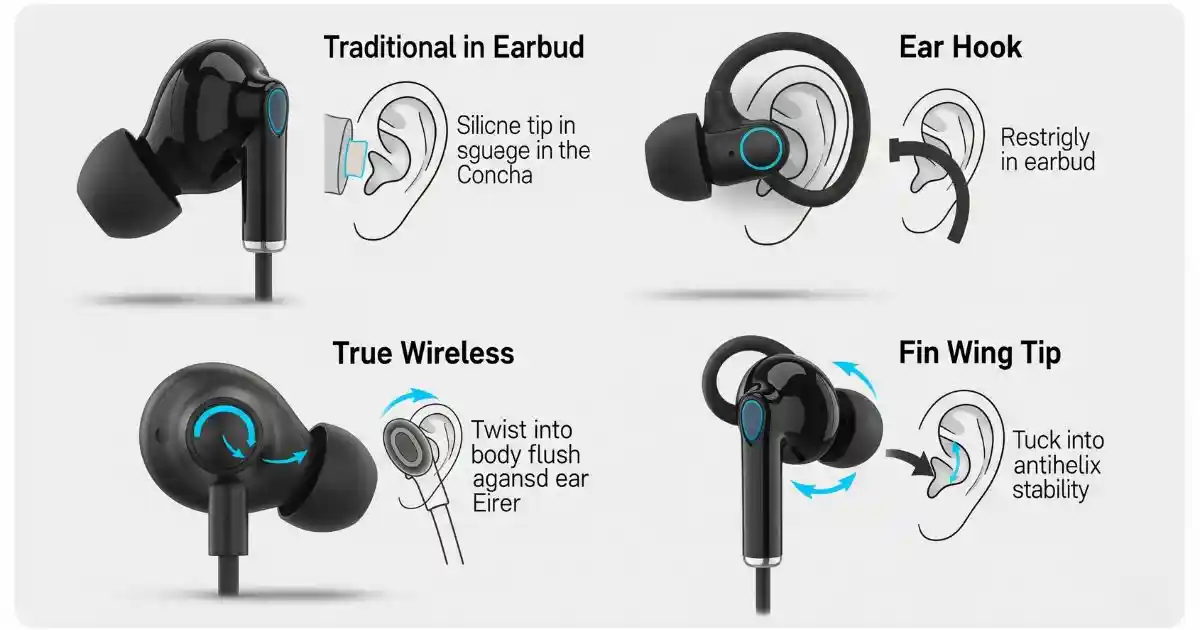
Not all earbuds are built the same, and the way you wear them should depend on the type of earbuds you own. From classic wired models to futuristic AI-powered designs, here’s how to wear each type properly and comfortably.
Wired Earbuds
What They Are: Traditional earbuds connected by a wire, usually with a 3.5mm jack or USB-C.
How to Wear Wired Earbuds:
- Insert each earbud into the correct ear (check for “L” and “R” markings).
- Let the cord hang loosely or wrap it behind your ears to reduce cable tug and prevent movement.
- Avoid tangling by securing excess cable with a clip or wrapping it neatly when stored.
Bluetooth Earbuds (Neckband Style)
What They Are: Wireless earbuds connected by a flexible neckband, often used for sports or casual listening.
How to Wear Wireless Earbuds:
- Place the neckband comfortably behind your neck.
- Insert the earbuds and adjust the cable slack to avoid tugging.
- Some models come with ear fins or stabilizers—use them for a better fit during movement.
True Wireless Earbuds (TWS)
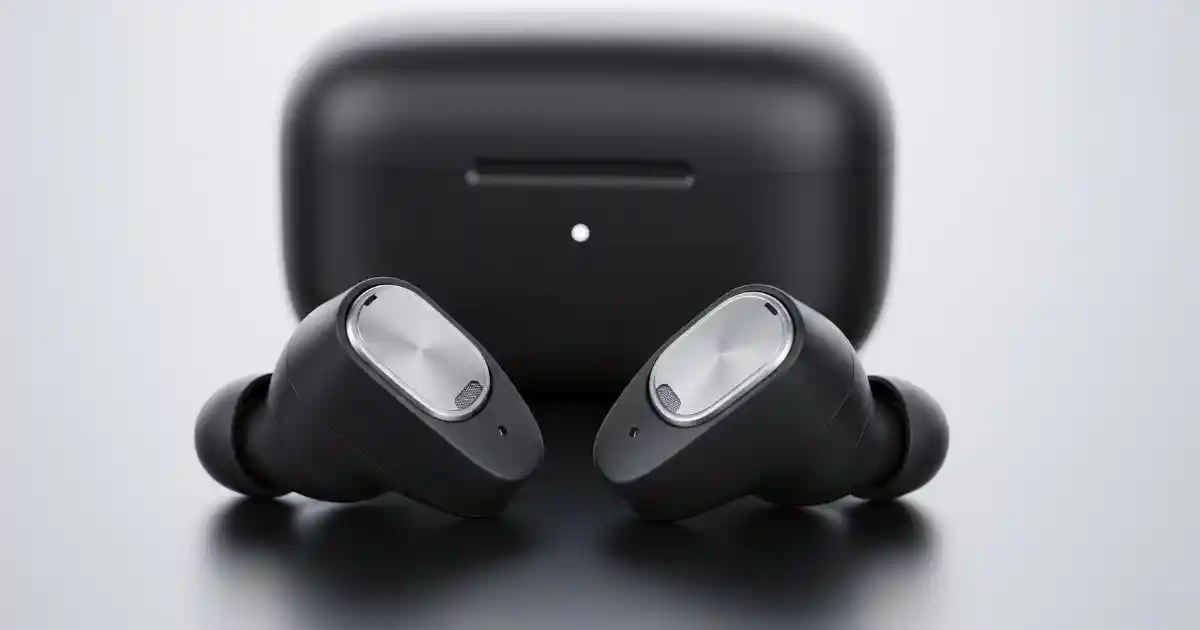
What They Are: Completely cordless earbuds that rely on Bluetooth to connect individually to your device.
How to Wear True Wireless Earbuds:
- Gently twist and insert each earbud into your ear canal.
- Make sure the ear tips create a proper seal for better sound and noise isolation.
- Use optional ear hooks or wings provided by the manufacturer for active use.
AI-Powered Smart Earbuds
What They Are: Next-gen earbuds with built-in sensors for health tracking, voice control, gesture recognition, and even language translation.
How to Wear Smart Earbuds:
- Ensure each earbud is aligned correctly for the sensors to function properly.
- Wear them snugly but not too tight—sensor contact points must touch your skin lightly.
- If your earbuds monitor heart rate, temperature, or movement, avoid shifting them once in place.
Ear Types and the Right Earbuds: What Actually Works?
Let’s face it—one-size-fits-all rarely applies to earbuds. Everyone’s ears are shaped differently, and what fits your friend perfectly might leave you constantly readjusting. That’s why knowing your ear type is the secret to getting the comfort and performance you actually paid for.
Here’s a breakdown of different ear types and what kind of earbuds suit them best:
Small Ears
Ever feel like earbuds are just too big for you? You’re not imagining it.
- Choose low-profile designs that sit comfortably without sticking out.
- Look for brands that offer small earbud tips; they’re game-changers.
- Compact and ergonomic shapes work best here.
You want something that fits like it belongs, not something that feels like it’s hanging on for dear life.
Larger Ears
On the flip side, if standard earbuds feel loose or fall out easily, chances are your ears need more room to work with.
- Go for earbuds with multiple tip sizes, especially large or XL foam tips.
- Models with deeper insertion options tend to stay put better.
- Memory foam tips are great; they expand and fill the space just right.
With the right tips, you won’t be constantly pushing them back every five minutes.
For People on the Move
If your earbuds need to survive a jog, commute, or daily hustle, it’s less about size and more about stability.
- Over-ear hooks? Yes, please.
- Winged tips can also offer a better grip during motion.
- Water/sweat resistance is a must if you’re active.
You want earbuds that stay in your ears—not bounce out mid-playlist.
Sensitive Ears
Ear fatigue is real. If earbuds start to hurt after a short time, your ears are trying to tell you something.
- Look for ultra-soft silicone or memory foam tips.
- Lightweight builds are easier on sensitive ears.
- Avoid hard plastic or bulky earbuds; they’re usually the culprits.
Your ears deserve comfort just as much as great sound.
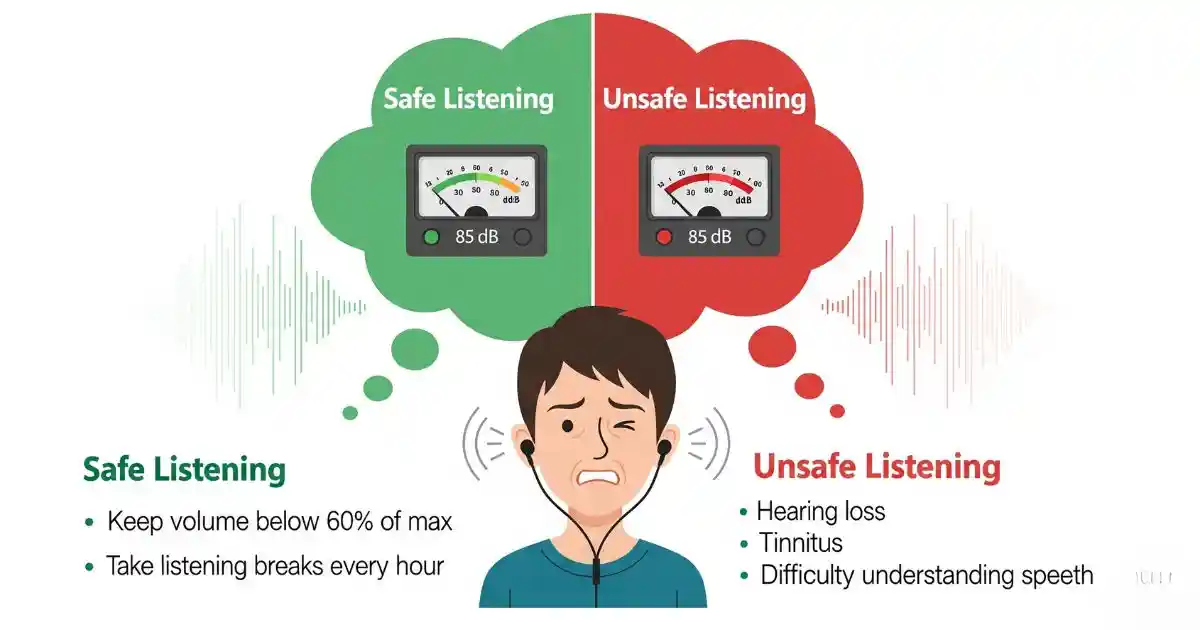
Are Earbuds Safe to Wear Every Day?
While earbuds are generally safe, it’s important to practice safe listening habits to protect your hearing:
- Safe Volume Levels: Keep the volume at a moderate level (under 60%) to avoid hearing damage.
- Listening Duration Limits: Limit listening sessions to no more than 60 minutes at a time to prevent ear fatigue.
- Earbud Hygiene: Clean your earbuds regularly to prevent buildup of dirt and bacteria, which can lead to infections.
- Breaks: Give your ears a break to avoid ear fatigue and potential damage from extended use.
What Are Earbuds Used For Today?
In 2025, earbuds are no longer just for listening to music. They have evolved to serve a wide range of purposes:
- Music, Calls, and Gaming: The primary functions remain, but with improved sound quality and features.
- Workouts and Studying: Wireless earbuds are perfect for exercise or focused study sessions.
- Sleeping: Special earbuds for sleep provide comfort and relaxation through soothing sounds.
- Advanced Use-Cases: In 2025, AI assistants, health tracking, and noise cancellation are common features in earbuds. Gesture control and voice commands are also becoming mainstream, allowing for a seamless experience.
Troubleshooting: If Your Earbuds Don’t Fit or Feel Right
If your earbuds aren’t fitting well or feel uncomfortable, you’re not alone. Here are some frequent issues and simple solutions:
- Earbuds won’t stay in place: Try swapping to larger or smaller ear tips. For extra security, consider earbuds with ear hooks or wings.
- Poor or uneven sound quality: Make sure both earbuds are inserted correctly. Check the ear tips for wax or debris that might block sound.
- Discomfort or pain: Foam tips often provide softer cushioning. Experiment with different sizes until you find what fits your ears best.
If problems persist, replacing the ear tips or trying a different earbud model might be the answer to better comfort and sound. Also, for the TWS common issues, you can fix them on your own.
FAQs
How often should I clean my earbuds?
You should wipe your earbuds with a clean, dry cloth after each use and perform a deeper cleaning once a week to prevent buildup.
Is it safe to sleep with earbuds in?
Sleeping with earbuds is generally safe, but using specialized, low-profile earbuds with soft tips is recommended to avoid discomfort and potential ear damage.
Are silicone or foam ear tips better?
Silicone tips are easier to clean and more durable, while memory foam tips offer a more custom, secure fit and better noise isolation.
How can I make my earbuds more secure for workouts?
Look for earbuds with over-ear hooks or winged tips and ensure you have the correct tip size for a tight seal to prevent them from falling out.
What is ‘ear fatigue’?
Ear fatigue is a feeling of tiredness or soreness in your ears caused by listening to music at a high volume or for a long duration.
How do I know if I’m wearing the wrong earbud tip size?
If your earbuds feel loose, have poor bass, or cause discomfort and pain, it’s a sign you need to try a different-sized ear tip.
Final Thoughts
Wearing your earbuds the right way is essential for both comfort and safety. Whether you have small, large, or sensitive ears, finding the perfect fit will improve your listening experience. Remember, comfortable and secure earbuds allow you to enjoy great sound without risking hearing damage.
Try different options to see what works best for you, and don’t forget to share your feedback for others!
Leave a Reply